
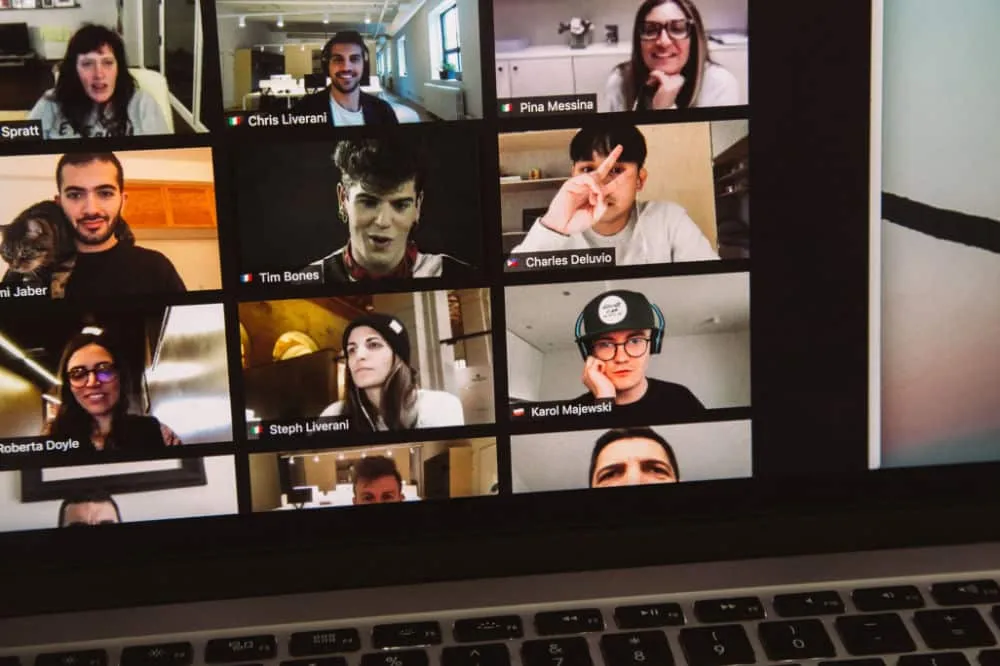
Not every youth group night happens at church. Maybe your group lives far apart, a few teens are sick or away on vacation, or you want to stay in touch over school breaks. So that the relationships in your group can keep growing even then, here is a template for a youth group night on video. We asked around and put together a sample meeting from a few proven building blocks.
All the building blocks together take 45 to 65 minutes. In the free versions of some platforms, group meetings have a time limit: plan the length to fit, or leave one block out. To see what each platform can do, check out “Tools, Games and Links for Online Youth Ministry.”
Arriving
(5 to 10 minutes)
Spend the first few minutes giving everyone time to arrive, greeting each person by name and simply celebrating that you’re together. You’re the host. Make sure your guests feel welcome in your video room.
Pro tip: Now and then, play background music the kids like during the different parts of the meeting.
Sharing in small groups
(6 to 10 minutes)
A breakout room (that’s what Zoom calls it) where small groups of teens (and leaders, if needed) answer a few fun questions about themselves or about an interesting topic. Use the relationship questions from the Pulse newsletter, for example, or “Would You Rather” questions. When everyone comes back from the small groups, ask for the highlights of their conversations. This can be a time when the leaders celebrate the teens and really notice them. And that way, everyone hears from everyone.
Karl Lagerfeld is credited with saying, “Sweatpants are a sign of defeat. You lost control of your life, so you went out in sweatpants.” Ask your teens what they think of the quote, whether they’ve ever gone shopping in sweatpants and how they felt about it.
Ask your teens what they think matters more on social media and in real life: fame or character? Have they ever been disappointed by a role model once they got to know that person better?
Sharing talents
(10 to 12 minutes)
A chance for everyone to share one of their talents or one of their dreams with the others: sing a song, or show something they’ve built, drawn or come up with. The kids love this! You can set a time limit of 2 minutes per turn.
Singing
(4 to 5 minutes)
Play a favorite song with a music video or lyric video and sing along. (Don’t forget to mute the microphones.) Depending on your focus, you can pick a worship song, a song that fits the theme of the meeting, or just a song that’s fun. Here are a few to choose from:
- Happy Day, Tim Hughes & Ben Cantelon
- King of Kings, Hillsong Worship
- Happy, Pharrell Williams
- Walking On Sunshine, Katrina & The Waves
- Blinding Lights, The Weeknd
Challenge or game
(5 to 7 minutes)
Hold a contest on any topic you like, and each week one person wins a prize. They get to choose one of 4 items you picked out ahead of time. Then you mail the prize to their home.
Here are a few ideas for games:
- Drawing contest: Who can come up with the best or most creative drawing of a word you give them?
- Spot the difference: The teens have to figure out what changed in your room. Memorize. Camera off. Camera on. Guess.
- Or play one of our free games for video calls. You’ll find even more games in “Tools, Games and Links for Online Youth Ministry.”
Talk or message
(7 to 10 minutes)
A short talk on a specific theme, which you can also carry through 3 or 4 meetings so the idea sinks in over time.
Pro tip: Use everyday objects to illustrate your point.
Announcements
(3 to 5 minutes)
Tell your teens what’s coming up next week and what they’ll need for it, and give them a challenge to take on before the next meeting. If it fits, ask about last week’s challenge first.
Saying goodbye
(3 to 5 minutes)
At the end, give the group a few minutes to say goodbye. You can finish with a 10-second countdown together. That way, you have a clear ending.
Hybrid: When part of the group is in the room
Often part of the group is at church and a few are joining online. So that nobody feels like a spectator:
- Assign a bridge: One leader looks after the people joining online and nothing else. They keep an eye on the chat, see who raises a hand and actively bring them into the conversation.
- Audio before video: A good microphone or a conference speaker in the middle of the room matters more than the camera. In the room, only one device has its sound on, or you get feedback.
- Put them on the big screen: Bring the people joining online into the room on a projector or TV, so the group in the room really sees them.
- Mix the small groups: A laptop or tablet on the table brings people joining online into a small group in the room.
- Games for both sides: Choose games that work just as well at home as in the room, for example a quiz on your phones, drawing and guessing, or a scavenger hunt where everyone searches wherever they are.
- Singing: Because of the delay, the people joining online sing along on mute.
Tip: Pick a theme for the night
Here are a few more theme highlights from our friend Matt, who runs online youth group nights with teens with special needs:
- Favorite Song Countdown: Show the music video of each person’s favorite song. Some groups have done this for their New Year’s Eve party, but it works for regular youth group nights too.
- Superhero or Costume Night: Everyone dresses up as a superhero or brings something that stands for their superhero.
- Favorite Team Night: Wear the jersey of your favorite sports team or video game.
- Pet Party: Show us your pet. (A rock counts too.)
- Beach Party
- Favorite Snack Night: Everyone brings their favorite snack and tells why they like it.
- Happy Birthday Club: A birthday party for everyone! Celebrate everyone’s birthday together in one night.
- Disney Night
- Scavenger Hunt at Home: Split into teams and try to find a certain object. (Download tip: “Quarantine Scavenger Hunt, with round 2 as a fashion show”)
For ways to stay in touch with your teens between meetings, read “16 Ideas for Online Youth Ministry.”

